SearchLift

AI article studio

Articles written to be cited by AI, published to your own CMS

Content bots write a post a day and hope. SearchLift writes fewer articles and picks them from evidence: the queries you nearly rank for, the buyer questions you are losing in AI answers, and the page a competitor won them with.

searchlift · console
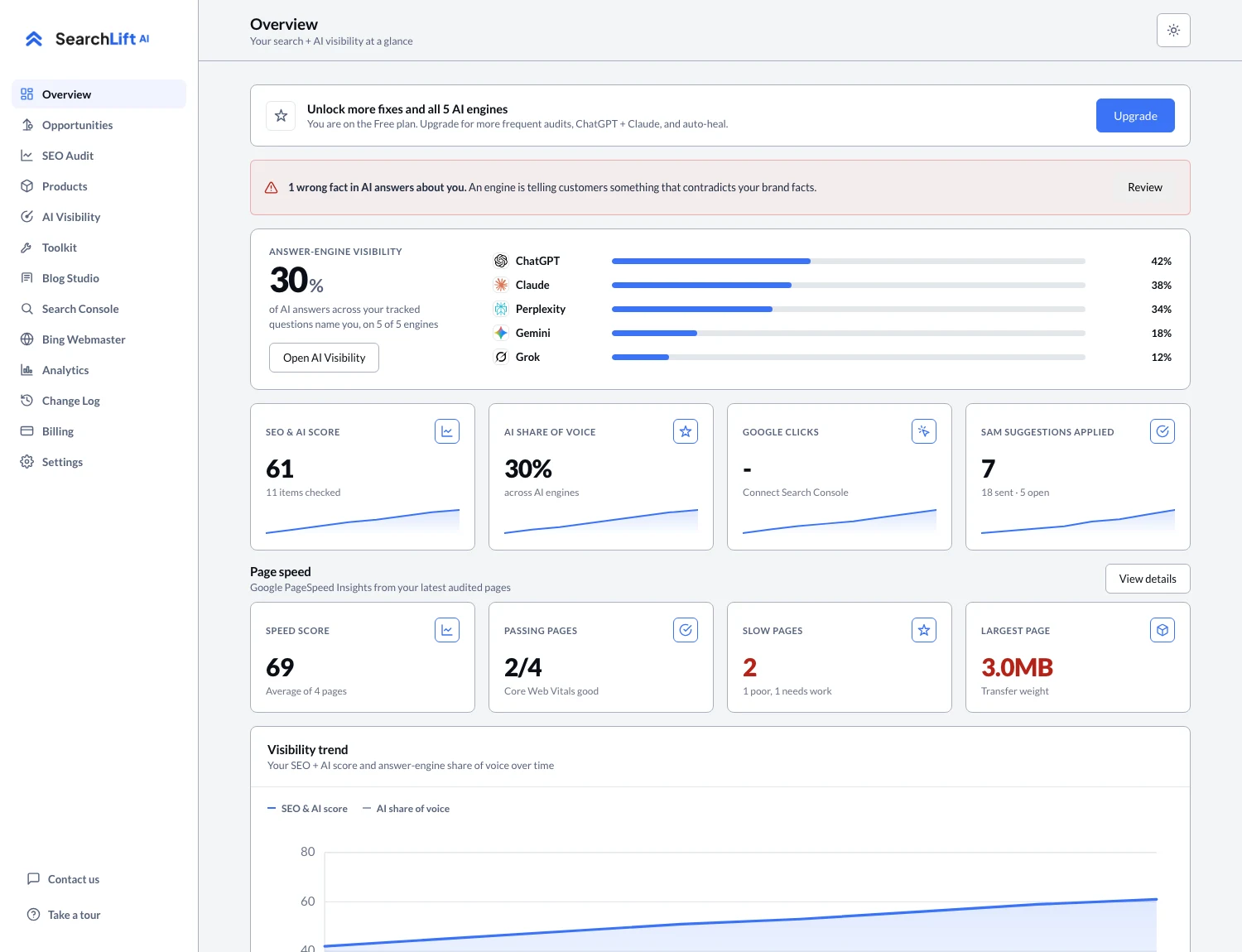
The SearchLift overview with the score, AI visibility per assistant and the trend line the article studio feeds.

Topics from demand, not a keyword list

Suggestions come from three real sources: Search Console queries you already show up for, tracked buyer questions where an AI assistant recommended someone else, and the competitor gap analysis of the page that won. Each topic arrives with the reason it was chosen.

Outlined from your own site

Before writing, the studio reads a snapshot of your own content, products and, where the platform exposes it, your CMS collections. The draft is based on what you really sell and say, not on a generic view of your industry.

Written to be quoted

Articles are written section by section in an answer-first shape: the direct answer up front, definitions and comparisons, clear prices and dates where you have them, and Article structured data attached. Those are the properties that published research found move whether an AI assistant quotes a page.

Published where you publish

On WordPress, Shopify, Webflow, Wix, Ghost and HubSpot the finished article is created as a draft, or published, through the platform’s own API. On Notion it lands as a page in the database you choose. On any other site you download it and paste.

A schedule you control

Auto-blog writes on the schedule you set, with a floor per plan so it can never run faster than your monthly article allowance. It is the one automation that may use your whole allowance, because a business that turns it on wants the articles written.

Measured like everything else

A published article becomes a page in the audit, a URL in the Search Console suite and, when it is cited, a source in your AI visibility record. You find out whether it worked in the same screens as everything else.

Questions

About article studio.

How many articles do I get?

One a month on the free plan, two on Plus, three on Premium, four on Enterprise and five on Platinum. Auto-blog cannot schedule faster than that allowance allows.

Will it publish without me seeing it?

Only if you turn on auto-blog. Otherwise every article is created as a draft you review, edit and publish yourself.

Does it write in my brand voice?

It writes from your own site content, products and stated business facts, which is where your voice really lives. It does not invent testimonials, statistics or claims about your business.

Can it publish to my platform?

WordPress, Shopify, Webflow, Wix, Ghost, HubSpot and Notion, through their own APIs. Any other site gets the article to copy or download.

How is this different from a normal AI blog writer?

A normal AI blog writer starts from a keyword. This one starts from evidence: the AI answers you are losing, the queries you nearly rank for, and the page a competitor won with. Then it writes in the answer-first shape that AI assistants quote, and measures whether the article got cited.

Does it help with ChatGPT SEO?

Yes. The studio picks topics from the ChatGPT, Claude, Perplexity, Gemini and Grok answers you are losing, and writes in the shape those assistants quote. Whether the article got cited shows up in your AI visibility record.

Run it on your site today.

The free plan includes a real AI SEO audit and one tracked AI visibility question. No card.