Cannibalization is one of the few SEO problems where the diagnosis is genuinely free. You do not need a crawler licence or a rank tracker. Search Console already records which of your URLs Google showed for which query, and that is the entire dataset the expensive tools are inferring from.
What the tools sell is the filtering. That part is a pivot table.
The procedure
- 01Open Search Console, go to Performance → Search results, and set the date range to the last 3 months. Shorter windows are too noisy to judge rotation.
- 02Open the Queries tab and sort by impressions. Pick a query with real volume that matters commercially, not a brand term, since two of your pages ranking for your own brand name is normal and harmless.
- 03Click that query to filter the whole report by it, then switch to the Pages tab. You are now looking at every URL Google showed for that one query.
- 04Read the impression split. One URL with 95% of impressions is healthy. Two URLs each holding 20% or more of impressions on the same query is the signal.
- 05Add the Position column and compare. Two pages both sitting between roughly position 5 and 20 on the same query is the classic pattern: neither is strong enough to hold the top slot alone.
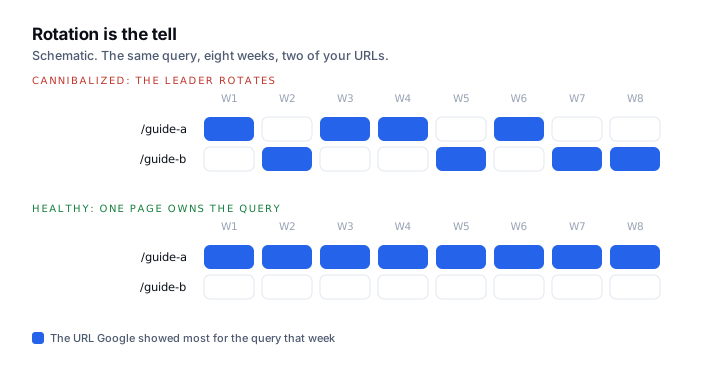
- 06Confirm rotation before acting. With the query filter still on, use Compare to set two adjacent date ranges. If the leading URL swaps between them, Google is undecided, and that is cannibalization rather than two pages that happen to be relevant.
Thresholds worth writing down
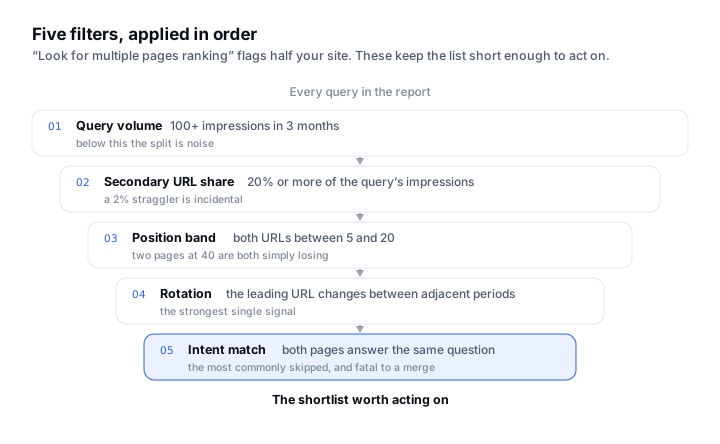
Most advice stops at “look for multiple pages ranking”, which flags half your site. These are the filters that keep the list short enough to act on.
| Condition | Threshold | Why |
|---|---|---|
| Query volume floor | 100+ impressions in 3 months | Below this, the split is noise and the fix is not worth the risk |
| Secondary URL share | ≥20% of the query’s impressions | A 2% straggler is not competing, it is incidental |
| Position band | Both URLs between 5 and 20 | Two pages at 40 are not cannibalizing, they are both simply losing |
| Rotation | Leading URL changes between adjacent periods | The strongest single signal that Google cannot choose |
| Intent match | Both pages answer the same question | A product page and a support article on one term is correct, not cannibalization |
What to do about it
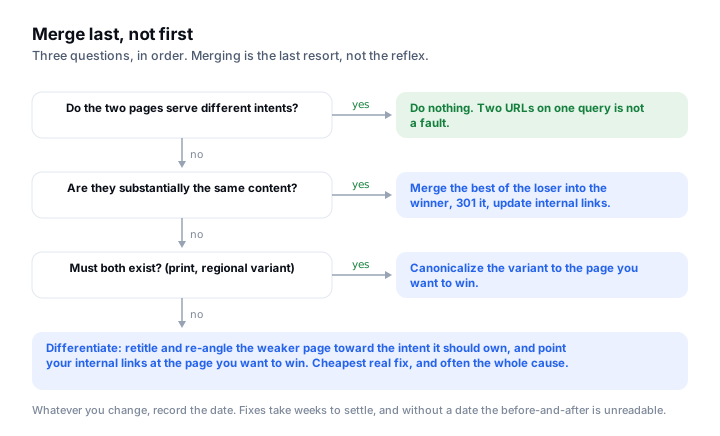
Merging is the reflex and it is the most destructive option. Work through these in order.
- Do nothing. If the two pages genuinely serve different intents, leave them. Two URLs on one query is not automatically a fault.
- Differentiate. Cheapest real fix. Retitle and re-angle the weaker page toward the intent it should own, so the two stop overlapping.
- Consolidate internal links. Often the cause. Count your internal anchors: if half point at one page and half at the other with the same anchor text, you built the confusion yourself. Point them at the page you want to win.
- Merge and redirect. Only when the pages are substantially the same content. Fold the best of the loser into the winner, 301 it, and update the internal links.
- Canonicalize. For near-duplicates you must keep for other reasons, such as a print or regional variant.
Whatever you change, record the date. Cannibalization fixes take weeks to settle, and without a change date the before-and-after is unreadable.
When the free method runs out
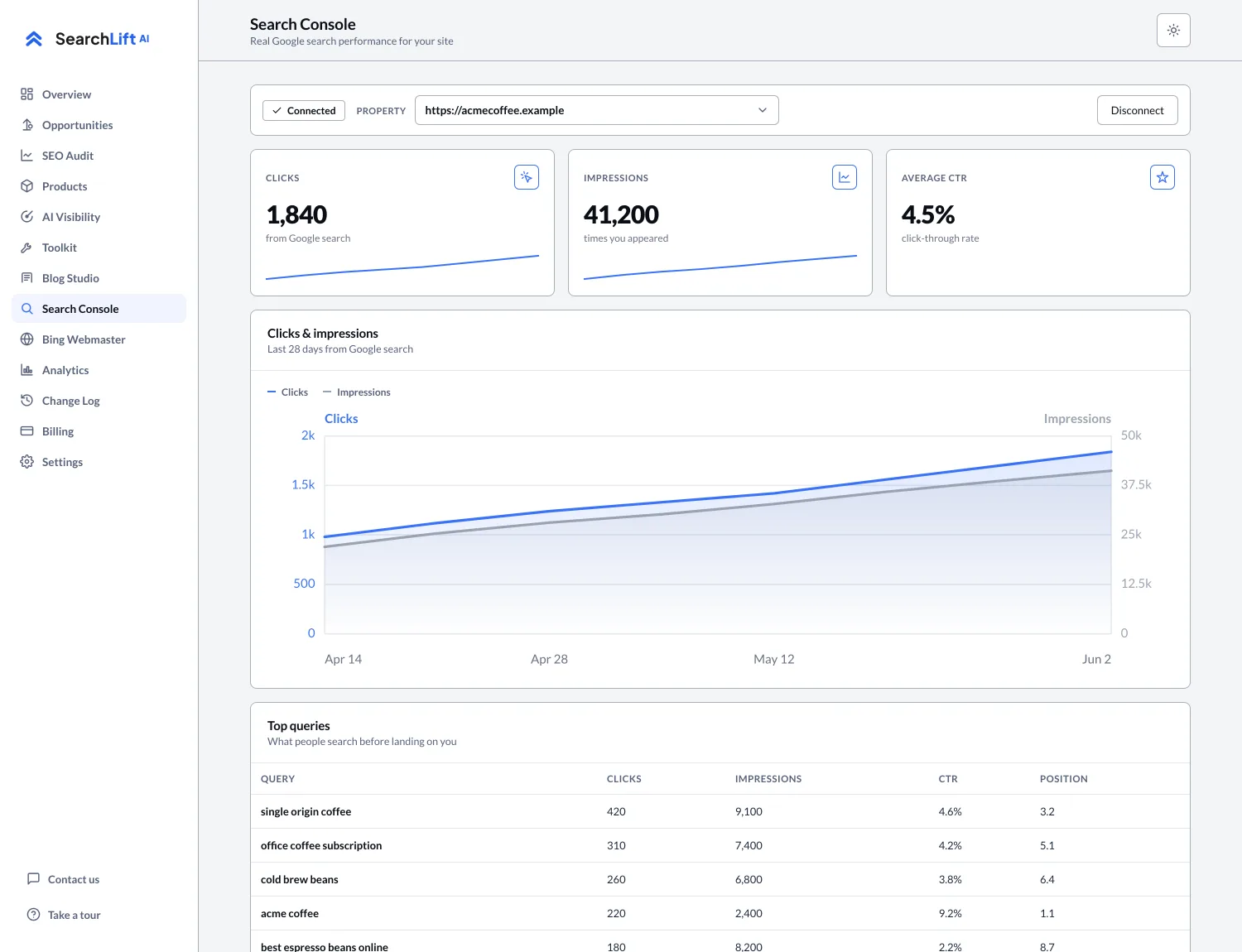
This procedure is a query-at-a-time pivot, which is fine for a site with a few hundred pages and impossible at a few thousand. The point at which it breaks is not sophistication, it is arithmetic: you cannot click through ten thousand queries. That is when the Search Console API or a BigQuery bulk export becomes worth the setup, and it is what the Search Console suite in SearchLift automates: same data, same thresholds, run across every query instead of the ones you thought to check.
Cannibalization also has a sibling worth knowing about: pages that are not competing with anything and are simply fading. That is content decay, and the two are often confused because both show as declining clicks.
Common questions
- 01How do I find keyword cannibalization in Google Search Console?
- Open Performance, set a 3-month range, pick a high-impression non-brand query from the Queries tab, click it to filter, then open the Pages tab. If two or more URLs each hold 20% or more of that query’s impressions and both sit between roughly position 5 and 20, you have a candidate. Confirm it by comparing adjacent date ranges to see whether the leading URL rotates.
- 02Is two pages ranking for one keyword always bad?
- No. If the pages serve genuinely different intents, such as a product page and a support article, two URLs on one query is correct. It is only cannibalization when both answer the same question and Google cannot decide which to show.
- 03Should I merge cannibalized pages?
- Usually not first. Try differentiating the weaker page and fixing your internal anchor text before merging. Merge and redirect only when the two pages are substantially the same content, because a merge is hard to reverse.
- 04How long does a cannibalization fix take to show?
- Weeks rather than days, since Google needs to recrawl both pages and re-evaluate. Record the date you made the change so the before-and-after comparison is readable later.
- 05Do I need a paid tool to find cannibalization?
- No. Search Console holds the underlying data and the method above is free. Paid tools automate the filtering, which matters once you have more queries than you can reasonably click through.