If you are looking for an Otterly alternative, the first thing to settle is what you are being charged for. Read on 29 September 2026, Otterly.AI’s pricing page publishes three monthly tiers, $29, $189 and $489, and meters all three in the same unit: search prompts. Lite includes 15 of them. Whether that is generous or thin depends entirely on how many questions your buyers ask and how many assistants you want each question put to, and that is the arithmetic most comparisons skip.
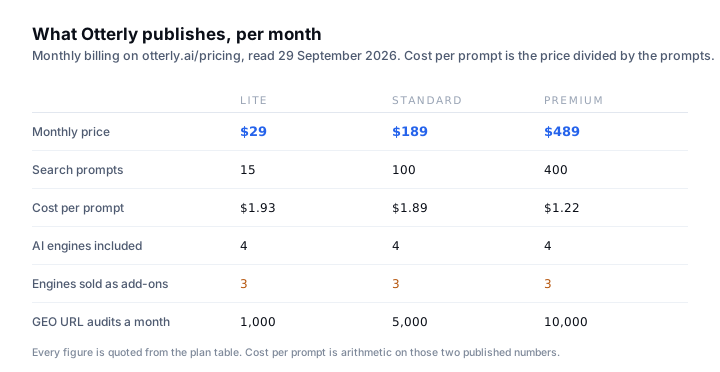
What Otterly publishes today, plan by plan
Credit where it is due: the prices are on the page. That already separates Otterly from most of this category, where the entry point is a demo call. Lite is described on the page as being “For solo marketers, and small teams”, Standard as “For SMEs and small marketing teams”, and Premium as “For mid-sized companies & agencies”. A fourth tier, Enterprise, is priced Custom and starts at 1,000 search prompts.
Annual billing takes 15 percent off each figure: $25, $160 and $422 a month. Team members are unlimited on every tier, tracking runs daily on every tier, and the pricing FAQ says a free trial is offered to new users. Every line below was read from the plan table on that page on 29 September 2026.
| Line on the page | Lite | Standard | Premium |
|---|---|---|---|
| Monthly price | $29 | $189 | $489 |
| Annual price, per month | $25 | $160 | $422 |
| Search prompts | 15 | 100 | 400 |
| AI search engines included | 4 | 4 | 4 |
| Extra engines as add-ons | Claude, Gemini, Google AI Mode | Same three | Same three |
| GEO URL audits a month | 1,000 | 5,000 | 10,000 |
| Workspaces | 1 | Unlimited | Unlimited |
| Recommendations | 3 a week | Unlimited | Unlimited |
| API requests a month | None | 2,000 | 5,000 |
| Extra prompts add-on | Not listed | +100 for $99 | +100 for $99 |
The search prompt is the billing unit, and 15 is fewer than it sounds
A prompt is one question you want tracked. That sounds like plenty until you write down the questions a customer actually types, because real buying questions come in families rather than singly. Somebody looking for what you sell will ask for the best option, the cheapest option, the option near them and the option compared against the competitor they already heard of. Those are four prompts for one purchase, not one.
Then multiply. If you sell in two countries, or in two languages, or to two different buyers who use different words for the same thing, the same family of questions runs again. Fifteen prompts covers roughly three or four buying questions asked properly across one market, which is a real answer for a solo marketer and a thin one for anybody with two product lines.
- Count the families, not the questions. Best, cheapest, near me and versus the incumbent are four prompts for a single thing you sell.
- Multiply by markets. Each extra country, language or buyer persona repeats the whole family.
- Leave room to change your mind. The first set of questions you write is usually not the set you end up tracking, and a plan with 15 slots gives you little room to rotate.
- Check what a prompt costs to add. On Standard and Premium the page lists 100 extra prompts for $99 a month. No extra-prompt add-on is listed on Lite.
Three of the engines are sold as add-ons on every tier
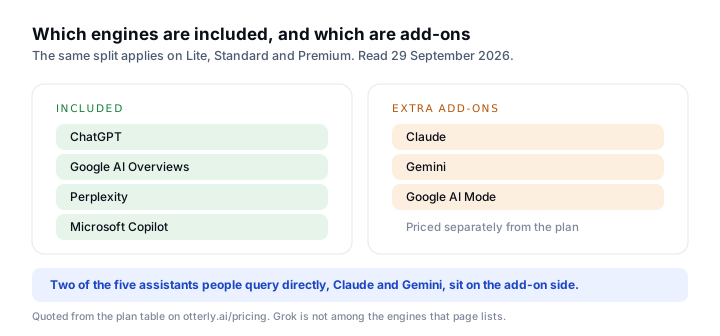
The plan table lists tracking of four AI search engines on every tier: ChatGPT, Google AI Overviews, Perplexity and Microsoft Copilot. It then lists Claude, Google AI Mode and Gemini as extra add-ons. That matters for the comparison because two of those three, Claude and Gemini, are assistants people open and type into directly, the same way they open ChatGPT. Grok is not among the engines the page lists at all.
It matters in the other direction too, and in Otterly’s favour on one line. Google AI Overviews and Google AI Mode are counted as two separate engines here, and on the evidence of Google’s own documentation they are not two separate optimization problems. AI features and your website, last updated 10 December 2025, is unambiguous.
There are no additional requirements to appear in AI Overviews or AI Mode, nor other special optimizations necessary.
So an engine count is a weak way to compare these products. Two of the four engines included on Lite are Google surfaces that move on ordinary indexing work, and the assistant most likely to be quoted at your customer by name may be sitting behind an add-on. Count the engines you would actually check on a Monday morning, and price that.
The step from $29 to $189 is where a small team gets stuck
Divide the published prices by the published prompts and the cost per prompt barely moves between the first two tiers: $1.93 on Lite, $1.89 on Standard. The volume discount only really arrives on Premium at $1.22. What changes between Lite and Standard is not the unit economics, it is everything else: unlimited workspaces, unlimited recommendations, 5,000 GEO URL audits instead of 1,000, and API access.
That shape is common in this category and it is worth naming, because it decides who an alternative is for. If 15 prompts covers you, $29 is a fair price for daily tracking. If you outgrow 15 prompts, the next published step is a 6.5x price increase, and at that point you are no longer comparing against other trackers, you are comparing against hiring the work out.
Monitoring gives you a score, something still has to change the page
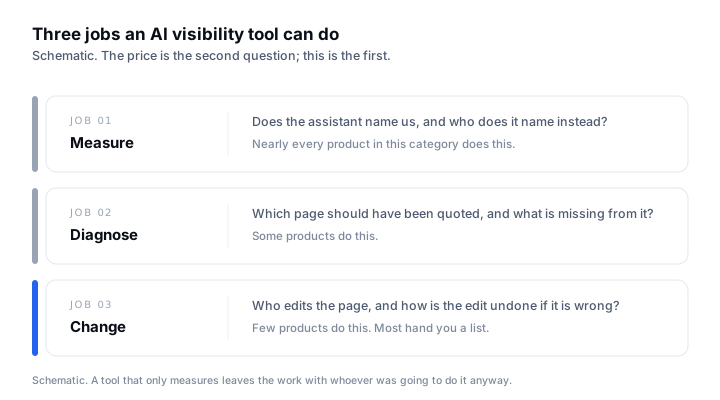
Otterly sits mostly in the first job and reaches into the second. Its plan table lists recommendations, three a week on Lite and unlimited above it, plus GEO URL audits and link citation analysis. That is real diagnostic surface. What no monitoring product does is edit the page, and the honest question to ask of any alternative is who is going to act on the report once it exists.
This is the thing that quietly decides whether the subscription pays for itself. A tracker converts a question you could not answer into a list you may not work through. If nobody on the team has three hours a week to rewrite pages, a product that only reports will produce a tidy declining chart and nothing else.
Four questions to answer before you pay for any of them
- 01Write your prompt list first. Count the buying questions, in your customers’ words, multiplied by markets and languages. That number, not the price, tells you which tier you are in.
- 02Check which assistants are included at that tier and which are add-ons. Price the add-ons you would actually use, and add them to the headline figure before comparing anything.
- 03Ask what the bill is metered on. Prompts, credits, seats, tracked domains and audited URLs all behave differently when you grow, and they are not interchangeable.
- 04Decide who acts on the output. If nobody is going to rewrite the pages, buy the cheapest measurement you can live with, or buy a product that does the rewriting.
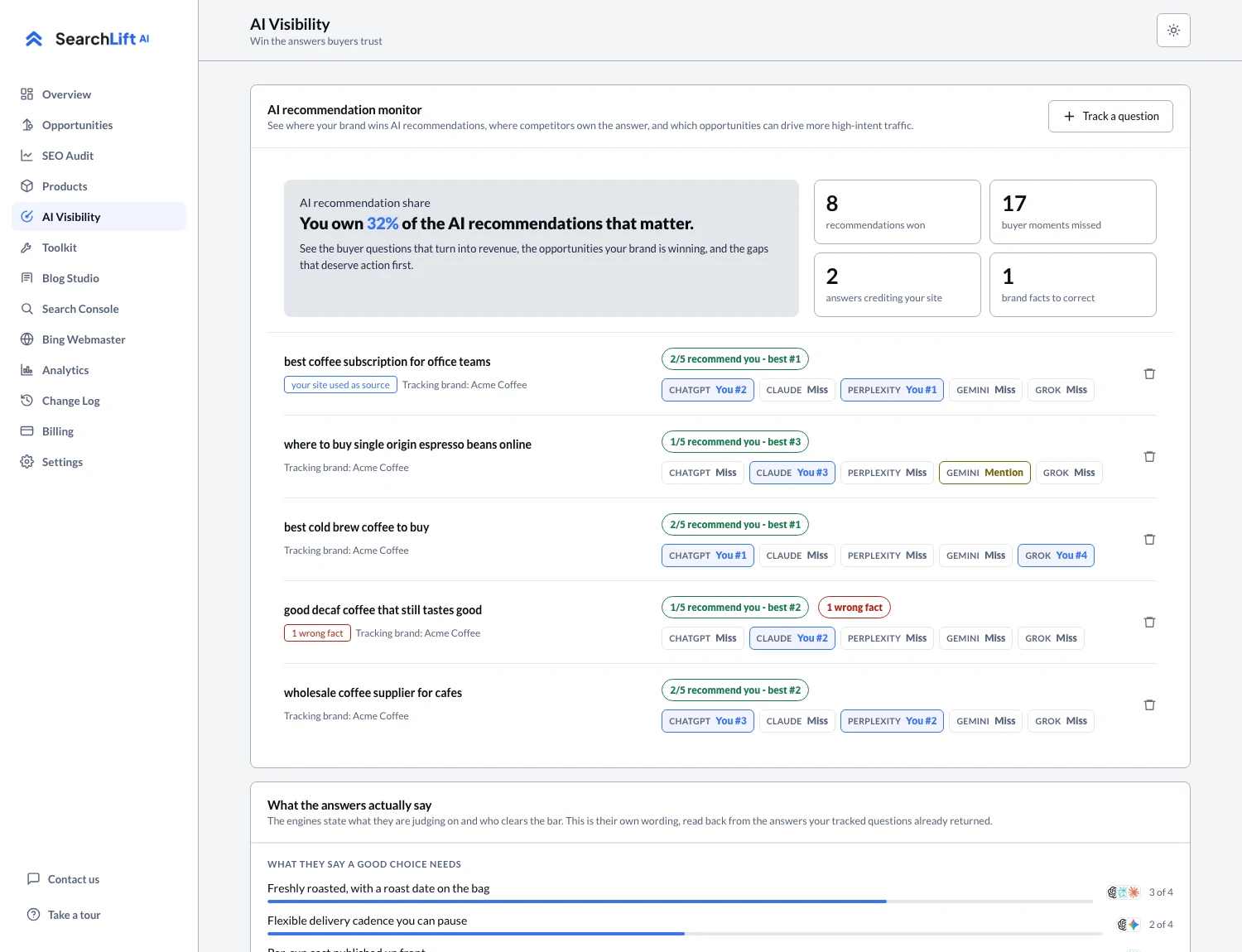
Where SearchLift sits in that split: it publishes every price and every limit as a number, and it covers the change half as well as the measurement half. AI visibility tracking records whether each tracked question named you, who it named instead, and which sources the answer used. The AI SEO audit applies the fix on approval with the previous value saved, so an edit can be undone in one click, and the article studio writes the page rather than recommending that somebody write it. The trade is the other way on prompt volume: the Free plan tracks 1 question, Plus at $8.99 a month tracks 2, Premium at $17.99 tracks 3, Enterprise at $59.99 tracks 4 and Platinum at $129.99 tracks 6. If you need 15 tracked questions or 100, that is an argument for Otterly, and it is on the pricing page either way. A seven-platform comparison of entry prices is in the platform roundup, the Profound writeup covers what happens when a vendor takes its prices off the page, and the Peec AI writeup covers a tracker that caps every self-serve plan at three models.
Common questions
- 01What is the best Otterly alternative?
- It depends on your prompt count. Otterly is priced well for a solo marketer who needs daily tracking of about 15 questions and has the budget for $29 a month. If your list is longer than that, the next published Otterly tier is $189, and it is worth pricing the category again at that number. If your problem is that nobody is going to act on the report, look for a product that edits pages rather than one that ranks them.
- 02How much does Otterly.AI cost?
- Read on 29 September 2026, its pricing page publishes three monthly tiers: Lite at $29 a month for 15 search prompts, Standard at $189 for 100, and Premium at $489 for 400. Annual billing takes 15 percent off each. A fourth tier, Enterprise, is priced Custom and starts at 1,000 prompts. Claude, Gemini and Google AI Mode are listed as add-ons on every tier.
- 03Is there a cheaper alternative to Otterly?
- Several products in this category publish lower entry prices, including SearchLift at $8.99 a month for Plus and a free plan that takes no card. The catch is that cheaper plans usually track fewer questions, so compare cost per tracked question rather than cost per month. Published pricing here has moved repeatedly through 2025 and 2026, so check the vendor’s own page before deciding on any figure, including the ones in this article.
- 04What is a search prompt, and how many do I need?
- A search prompt is one question the tool puts to the assistants on a schedule. Count them by writing the questions a customer would type, in their words, then multiplying by each market, language and buyer type you sell to. Most small businesses land between five and twenty. Brands with several product lines or countries land well above that.
- 05Do I need an AI search monitoring tool at all?
- Not to start. Asking five buying questions in ChatGPT, Claude, Perplexity, Gemini and Grok by hand, logged out, and recording whether you were named costs nothing and answers the first question. A tool earns its price when you need the same check run on a schedule, across more questions than you will do by hand, with a history you can point at.