



Track the answer above the search results
Read the Google AI Overview saved for each tracked question. See the answer text alongside the source links, so your team can understand which businesses and pages helped shape the recommendation.
Ask ChatGPT a buyer’s question about your business and see whether the answer names you.
 Check a ChatGPT answer
Your next customer may read Google’s AI answer before opening a website. SearchLift checks the questions buyers ask, saves the AI Overview and shows whether your business is named or your site is cited. Follow the same questions over time and give your SEO work a clear direction.
Google AI Overview tracking
Read the Google AI Overview saved for each tracked question. See the answer text alongside the source links, so your team can understand which businesses and pages helped shape the recommendation.
Choose the country for your buyer questions. SearchLift carries the question’s market into the Google check, with the account market as its fallback. A restaurant in Mauritius and a US software company can follow the searches relevant to their customers.
Open the sources Google used and see whether your own pages appear. A cited service page, comparison or guide gives you a concrete place to study the answers buyers are finding.
Check the businesses named for your category questions. Read their position in the saved answer and the source pages beside it, then choose the customer questions your own site needs to answer more clearly.
Keep your buyer questions and market consistent across checks. Saved results make it easier to review changes in your presence alongside the work you have done on your website.
Use SearchLift’s SEO audit to identify page improvements, preview the proposed changes and apply supported fixes on your connected platform. Use the article studio to develop the topics your customers are researching.
Every saved check
SearchLift keeps the answer and its sources together, so you can move from a visibility result to the page you want to improve.
| In your saved check | What to look for | Put it to work |
|---|---|---|
| Buyer question and market | The same question, for the country your customer is in. | Keep these consistent when comparing results. |
| Brand presence | Whether your business appears in the answer. | Open the answer and see how your product is described. |
| Competitor mentions | Which other businesses appear for the question. | Read the details the answer uses to recommend them. |
| Cited pages | The source URLs returned with the answer. | Compare the relevant source with your own product or service page. |
| Saved answer text | The actual wording behind the result. | Find the missing details, then improve the page that answers that buyer. |
Use your product category, the customer’s situation and the feature they need. A useful question sounds like: “Which restaurant POS connects table orders, the kitchen and ingredient stock?” Adapt it to your own business.
Improve the page a customer should land on for that question. Add a clear workflow, product screenshots and answers to the next questions they will ask. Find and apply supported SEO fixes.
Start with one answer
Ask an assistant a question your customers would ask, then paste its response into the free checker. Compare your brand with competitors and save the result before setting up ongoing tracking.
How onboarding works
Create your account in a minute. The free plan needs no card, and every plan comes with 24/7 support.
One click for WordPress, Shopify, Webflow, Wix and the other platforms we support, or paste the URL of any site.
Minutes later you have your SEO and AI score, the pages to fix first and what the AI assistants say about you.
SearchLift fixes titles, schema and content for you. You approve each change, and any fix can be undone in a click.
Google AI Overviews tracker
Anything we have not answered here, ask us directly. Our team replies around the clock.
Contact usConnect your website to SearchLift, choose your market and add the questions buyers ask about your category. On Premium and above, Google AI Overviews is included in AI Visibility. Open a saved result to read the answer, brand mentions and cited pages.
SearchLift records whether Google returned an AI Overview, the answer text and its sources. It evaluates your brand’s presence and position in that answer, alongside competing names. This gives you a repeatable view for each tracked question.
The check records that no AI Overview appeared for that question. You can distinguish that result from an answer that appeared and mentioned other businesses.
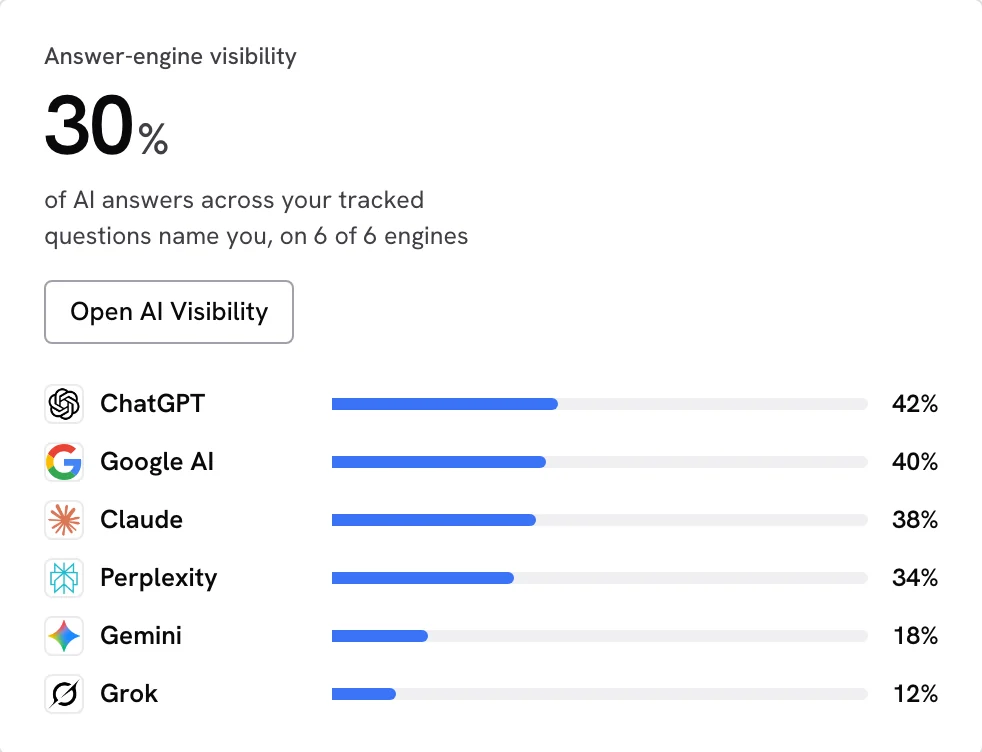
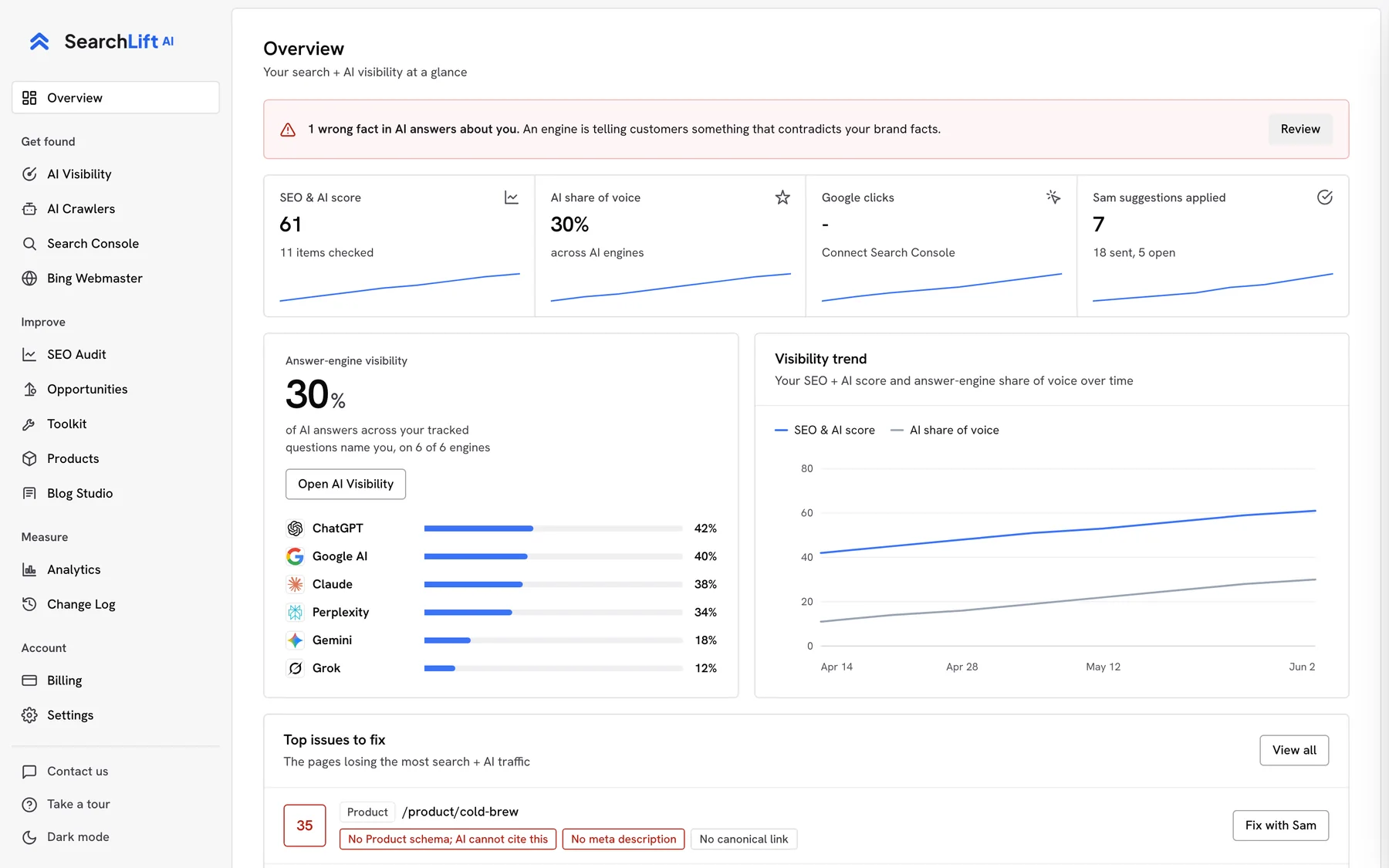
Premium, Enterprise and Platinum include Google AI Overviews alongside ChatGPT, Claude, Perplexity, Gemini and Grok. The pricing page shows the current question limits for each plan.
Yes. From Premium, SearchLift checks your tracked questions across Google AI Overviews and the five supported AI assistants. You can read each engine’s saved answer and sources from AI Visibility.
Start with a buyer question that matters to your business. Read the answer and cited pages, then improve the relevant product or service page with clear details that help that buyer choose. SearchLift connects that work to its SEO audit, approved fixes and article studio.
Track what ChatGPT, Claude, Perplexity, Gemini, Google AI and Grok say about your business.
 ChatGPT,
 Claude,
 Perplexity,
 Gemini,
 Google AI
 Grok