AI SEO for ecommerce is easiest to test on one product, not an entire catalogue. Pick an item a buyer might describe without using your brand name. Compare what its page says with the product data you send to Google, the structured data a crawler reads, and the answers buyers get from AI assistants. A disagreement between those surfaces is a concrete fix. Another generic article about the product is usually not.
This guide covers the store’s own pages and Google product data. If you are specifically preparing an OpenAI shopping feed, the separate guide on getting products into ChatGPT shopping covers that submission path. A feed, a Google result and a ChatGPT answer are separate surfaces; appearing on one does not establish eligibility on the others.
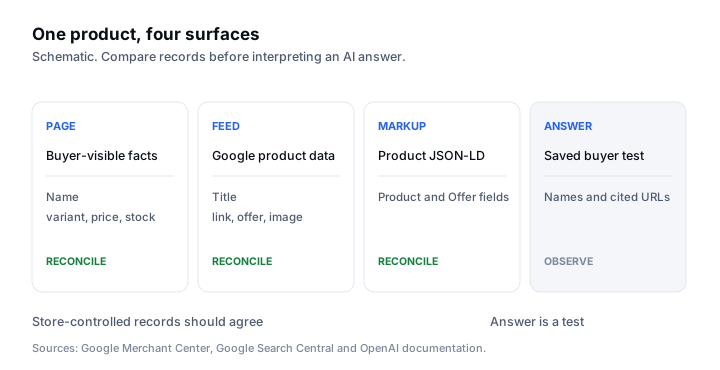
Audit one product across four surfaces
Choose a real product with a stable URL and a clear purchase question. An example question might be “Which insulated travel mug fits a bicycle bottle cage?” Only use that question if the product’s measured dimensions and design actually support the claim. Save the exact product URL, selected variant, displayed title, price, availability, image and the factual specifications a buyer needs. Note where the page states any limitation, such as a size that will not fit.
Then record the same item in Merchant Center, its Product structured data, and a buyer answer from each assistant you monitor. The first three are store-controlled records. The answer is a measurement. Do not edit a product description to match an assistant’s unsupported claim; correct the public facts and retest. Use the worksheet below for one item before choosing a template-wide change.
| Check | Product page | Merchant Center | Product markup | AI answer |
|---|---|---|---|---|
| Identity and variant | Visible name, size or colour | Title, item group and variant | Product name and offer variant | Which item was named? |
| Price and stock | Selected variant and checkout | Price and availability fields | Offer price and availability | Was a price claimed? |
| Buyer constraint | Plain-text dimensions or limits | Relevant product attributes | Only facts visible on page | Did the answer cite a source? |
| Destination | Canonical product URL | Landing page link | Product URL | Was your URL cited? |
Match the landing page and Merchant Center data
Google’s product data specification, read 14 October 2026, requires the submitted title and description to describe the product accurately and match the landing page. It warns that missing variant attributes, weak images and conflicting data can restrict ads or free listings. This is a Google Merchant Center requirement, not a published ranking rule for every AI assistant.
Open the feed row for the exact variant, not only the parent product. Compare the selected size or colour, price, currency, stock state, image and destination URL with the landing page. Google’s landing page requirements, read 14 October 2026, say a submitted link must take the shopper to the specific product and that the page must make the relevant price and availability easy to find. If the feed says one price and checkout another, fix the underlying catalogue or synchronisation. Rewording the blog cannot repair that mismatch.
For a multi-variant product, verify the URL’s default selection and the feed row together. A listing for a large blue item should not arrive on a page showing the small red one with a different price. Record when a price or availability changed and which system owns it. That makes a recurring discrepancy a data-pipeline problem with an owner, rather than a recurring SEO copy task.
Make the product page eligible and extractable
A product page still needs a crawlable URL, a truthful canonical, findable internal links and visible product facts. Google’s AI features guide, read 14 October 2026, says a page must be indexed and eligible for a snippet to appear as a supporting link in AI Overviews or AI Mode. It also says there is no special AI markup or file required. The store’s product and category navigation should lead to the item without relying on an internal search box.
Google’s Product structured data documentation, read 14 October 2026, explains that Product markup can make a page eligible for product snippets and merchant listings. Mark up the item and offer the page actually shows. Validate the rendered page, then compare the JSON-LD values with the selected variant and visible text. Valid syntax is a starting check; it cannot make a contradictory offer accurate. The deeper test is in what product schema can and cannot do for AI search.
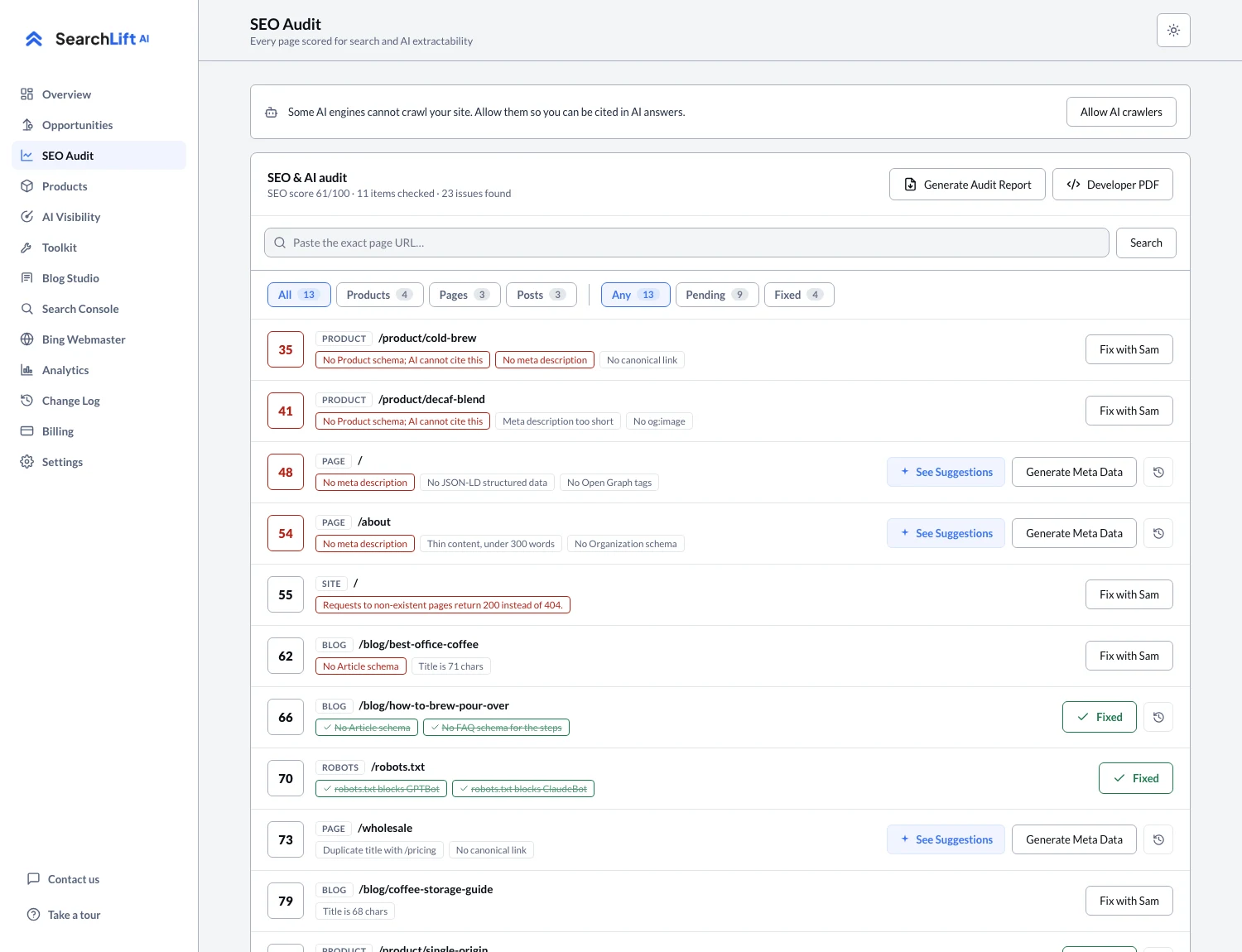
For ChatGPT search, check access separately. OpenAI’s crawler documentation, read 14 October 2026, names OAI-SearchBot as its search crawler and distinguishes it from the training crawler GPTBot. A store may allow one and restrict the other. Check robots.txt, an ordinary fetch of the product URL, and any access controls before drawing conclusions from a missing citation. The SearchLift audit checks live product pages and crawler rules; its Shopify connector can write product SEO fields through the Admin API, while theme-level robots rules and Product JSON-LD remain manual snippets.
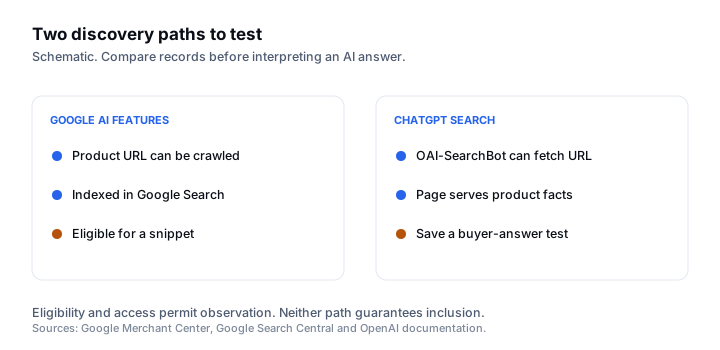
Test buyer answers without conflating signals
Use a non-branded buyer question that encodes a real product constraint: material, size, compatibility, delivery region or use case. Save the prompt, assistant, date, region context, brands and products named, citations and whether the answer linked your product URL. Repeat the same question after a specific page or feed change. A single answer can vary, so treat it as a dated observation, not a percentage of AI market share.
Keep three columns apart. A mention means the assistant named the store or product. A citation means it displayed a source link. A visit is a measured arrival in analytics. Search Console’s web performance report includes Google AI features within overall search data, according to Google’s measurement guidance, but it does not break out every AI recommendation. The AI visibility screen records tracked buyer questions, names and sources across supported assistants; it cannot guarantee that a future answer will recommend an item.
If the answer cites a third-party buying guide, read that source before rewriting your own page. The guide may describe a product category your page does not address, or it may contain facts you can verify and publish. Do not copy its unsupported claims. If the answer cites your product page but misunderstands a specification, make the relevant fact explicit in plain text near the purchase decision.
Fix the highest-value mismatch first
The first pass should produce a short queue: a wrong destination or variant, a price or stock conflict, missing buyer specifications, a blocked crawler, an unindexed page, or an answer that relied on stale third-party information. Assign each issue to the system that owns it. Fix the catalogue or feed in commerce operations, the page facts in the product template, and crawler access in site configuration. Publish a supporting article only when a buyer’s decision question needs an explanation the product page cannot carry well.
After one item is clean, repeat the worksheet on a second product with different variants. If both expose the same template fault, repair the template before editing every listing. If only one item differs, keep the change local. The article studio can help turn a real buyer question into a draft once the product facts are settled, but the store owner still verifies every specification, stock claim and internal link before publishing.
Common questions
- 01What is AI SEO for ecommerce?
- It is the work of making truthful product information findable, consistent and easy for search systems and AI assistants to interpret, then measuring buyer answers separately. Start by reconciling one product page, its feed and its structured data.
- 02Does Product schema make a product appear in ChatGPT?
- No public rule guarantees that. Product structured data can help Google understand a product and make a page eligible for certain Google product appearances. ChatGPT search has separate crawler access and answer selection.
- 03Should I write more product articles or fix my feed first?
- Fix any wrong product identity, variant, price, availability or destination in the feed and landing page first. Write an article when a real buyer question needs detail beyond the product page, using verified facts and a clear link back to the item.
- 04How do I measure ecommerce AI visibility?
- Save the same non-branded buyer prompt, assistant, date, location context, products named, citations and resulting visits. Repeat after a defined change and keep mentions, citations and visits as separate measures.