






The best Shopify SEO apps help a store owner turn an SEO problem into a better product page. That can mean a clearer search title, an accurate description, useful image text, a page Google can index, or a product answer an AI assistant can understand. SearchLift is the strongest choice when you want those page fixes connected to the buyer questions that already surface your store in Google and AI answers.
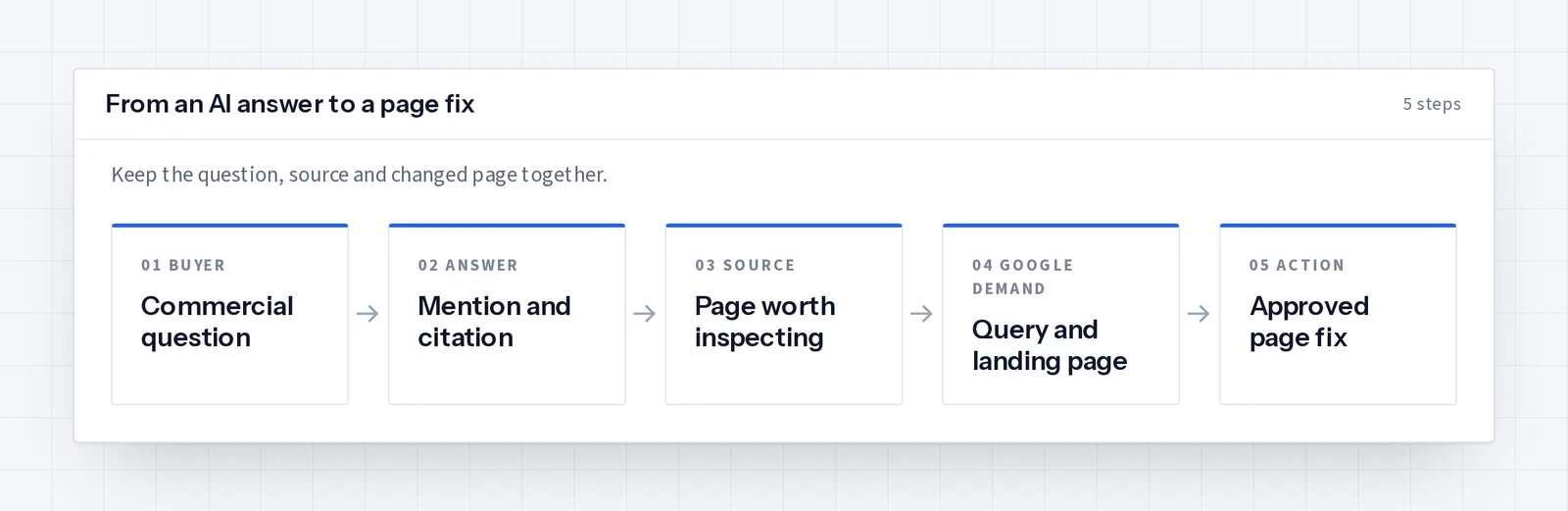
Start your app search with one product that matters to revenue. Write down the search phrase that should find it, the page that currently ranks, and the question a buyer asks before ordering. Then ask each app what it can show you and what it can change on that exact product. The result is a much more useful comparison than a feature checklist.
Which are the best Shopify SEO apps for your store?
These apps cover different store jobs. Choose the one that handles your current bottleneck, then test it on a product and a collection before applying changes across the catalog.
| App | Published focus | First task to try |
|---|---|---|
| SearchLift | Product and page SEO writes, AI visibility answers, Search Console insights and article publishing | Take a buying question to an approved product title or description update |
| Plug in SEO | Store audit and bulk editing for metadata, image text, file names and URLs | Review one product and its image metadata |
| TinySEO | Image optimization, page speed, structured data and SEO checks | Check the product images and page load work |
| Avada AI SEO | SEO audit, image optimization and on-page tools | Inspect the audit findings for a priority product |
The question is which task your team will finish. A store with thousands of unoptimized images may begin with an image-focused app. A merchant who wants to connect Google search demand and AI recommendations to actual product edits can use SearchLift’s Shopify AI SEO integration. The store owner still reviews the proposed change before it is published.
Make the product page answer the buying question
Search titles and descriptions work best when they name the product and the detail that helps a buyer choose it. For a replacement part, that may be the compatible model. For a food product, it may be the size and delivery region. For a garment, it may be the material, fit and care. Put the useful detail on the visible page as well as in metadata, so a visitor who clicks the result immediately finds the answer.
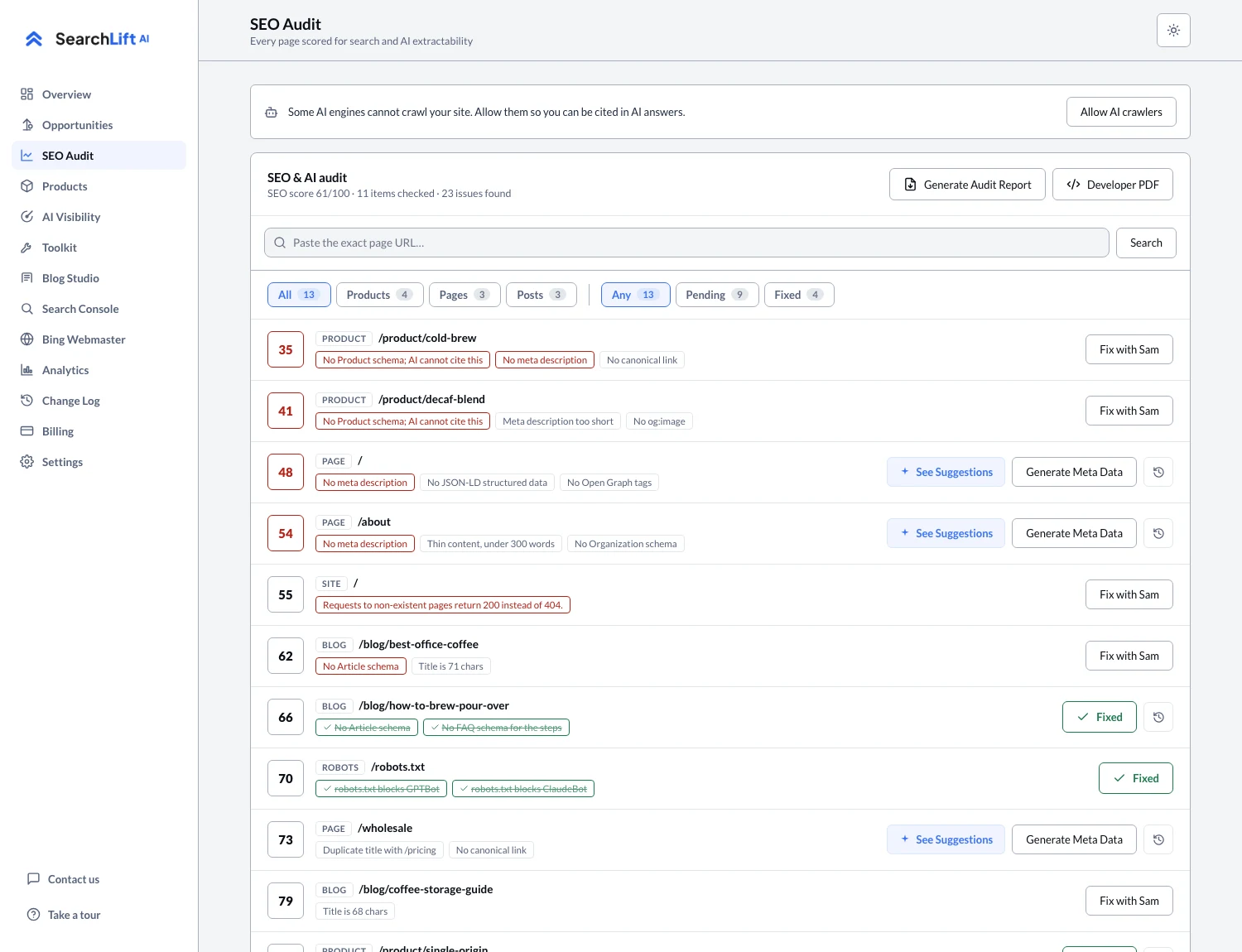
Shopify’s Product API exposes product data and SEO metadata. SearchLift’s Shopify connection can read the live storefront, prepare product and page SEO titles and descriptions, and write an approved update through Shopify’s Admin API. Its SEO audit screen shows the page issue and the proposed fix before the owner applies it.
- Product identity: State the item, variant and intended use in plain text.
- Buyer detail: Answer size, compatibility, location or another real purchase constraint.
- Search result: Give the page a distinct title and description that match its content.
- Next step: Make availability, shipping and the purchase action easy to find.
Keep one record of the original and updated page. If a title becomes less clear or a product specification changes, the team can trace the edit and revise it. That matters most on stores with many similar products, where a bulk change can otherwise make every search result sound the same.
Add AI visibility to the Shopify SEO app test
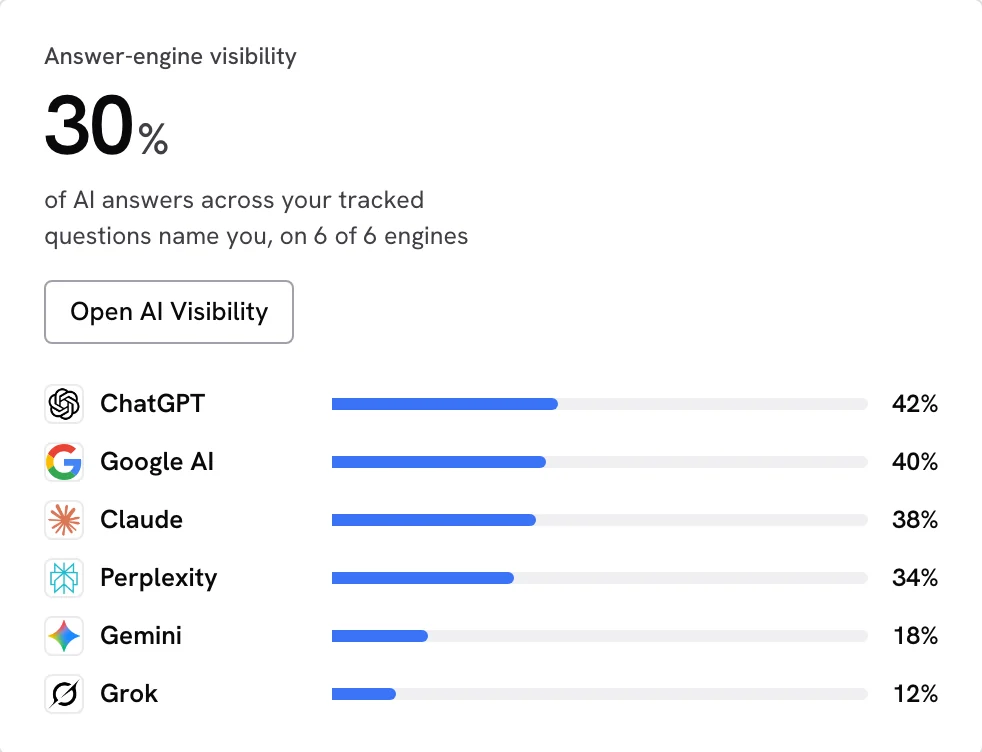
Ask an assistant a question that a shopper would ask without naming your store. Save the complete answer and its cited links. If your product is absent, open the pages it did cite and look for a detail the shopper needed. SearchLift’s AI visibility screen keeps tracked buyer questions and source links beside the store’s own visibility history. This gives the product owner a concrete page to improve.
Google Search Central’s guidance for AI features says the usual SEO foundations still matter: crawl access, internal links, important content in text and structured data that agrees with the page. Check those basics on the same product before creating another article about it. The strongest AI search work often starts with a product page that clearly answers a shopper’s question.
Check the Shopify tasks an app can actually publish
An app may report an issue, draft a fix, or write directly to the store. Ask which step is available for product SEO fields, article publishing, structured data and theme-level files. SearchLift writes supported product, page and article SEO fields through Shopify, and publishes blog articles through the Admin API. Theme-level robots rules and product JSON-LD arrive as instructions for the merchant to apply. The Shopify integration page lists each capability before you connect.
That distinction lets you plan the work. Put directly editable product metadata into the app review queue. Give any theme edit to the person who manages the theme. Keep the buyer answer and product URL beside both tasks. When the new page is live, your team can compare the next search result and assistant answer against the earlier record.
Try the app on one product before scaling up
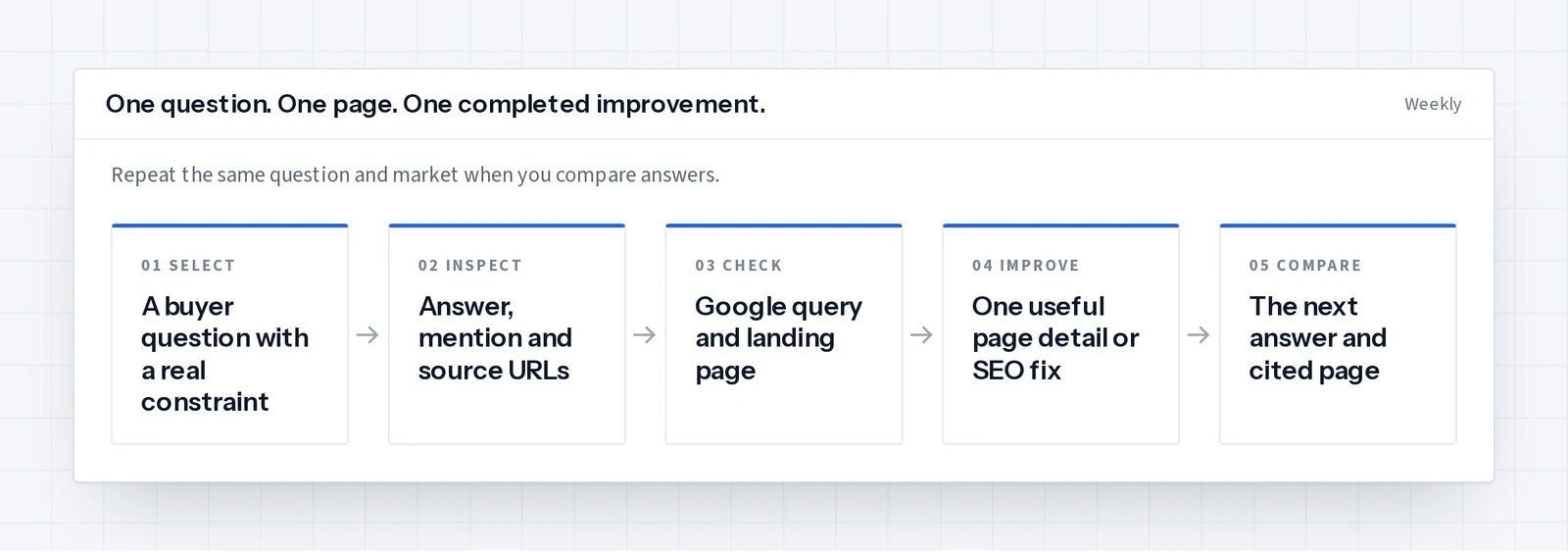
- 01Pick one high-value product with a working, indexable page.
- 02Record its current title, description, visible product details and Search Console queries.
- 03Ask an unbranded buyer question and save the assistant answer and citations.
- 04Review one proposed page improvement in the app and publish it through the supported Shopify path.
- 05Check the live page and repeat the same buyer question in the same market later.
A good first test ends with a better product page, a saved before-and-after record and a clear next product to tackle. See the ecommerce AI SEO guide for a product-page worksheet, then explore SearchLift for Shopify to connect that work to your store.
Common questions
- 01What are the best Shopify SEO apps?
- Choose by the store task you need to finish. SearchLift connects product SEO changes to Search Console demand and tracked AI answers. Plug in SEO focuses on audits and bulk metadata, TinySEO on images and speed, and Avada on audits and on-page tools.
- 02Can a Shopify SEO app update product titles and descriptions?
- Some apps can. SearchLift prepares approved SEO titles and descriptions for products and pages and writes supported fields through Shopify’s Admin API.
- 03Can a Shopify SEO app help with AI recommendations?
- An app can save buyer questions, assistant answers and cited pages, then help you improve the relevant product information. SearchLift links that visibility work to the page audit and Shopify SEO update workflow.
- 04Should I optimize product pages or write more blog posts first?
- Start with a commercially important product page that answers a real shopper question. A useful product page supports both search visitors and the articles that link to it.