






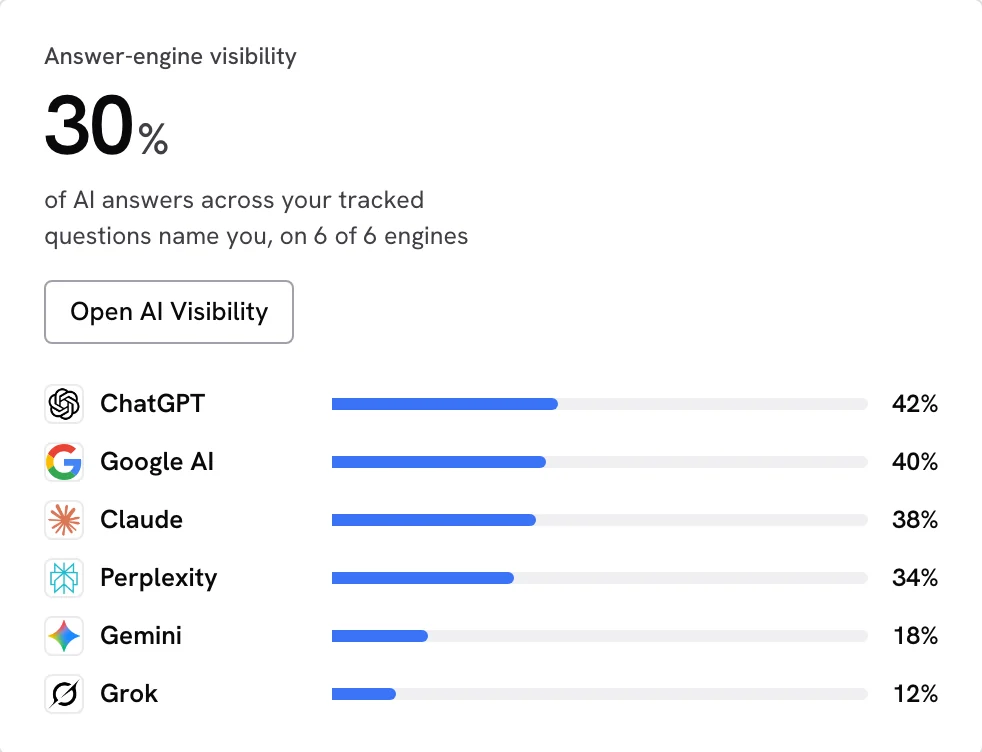
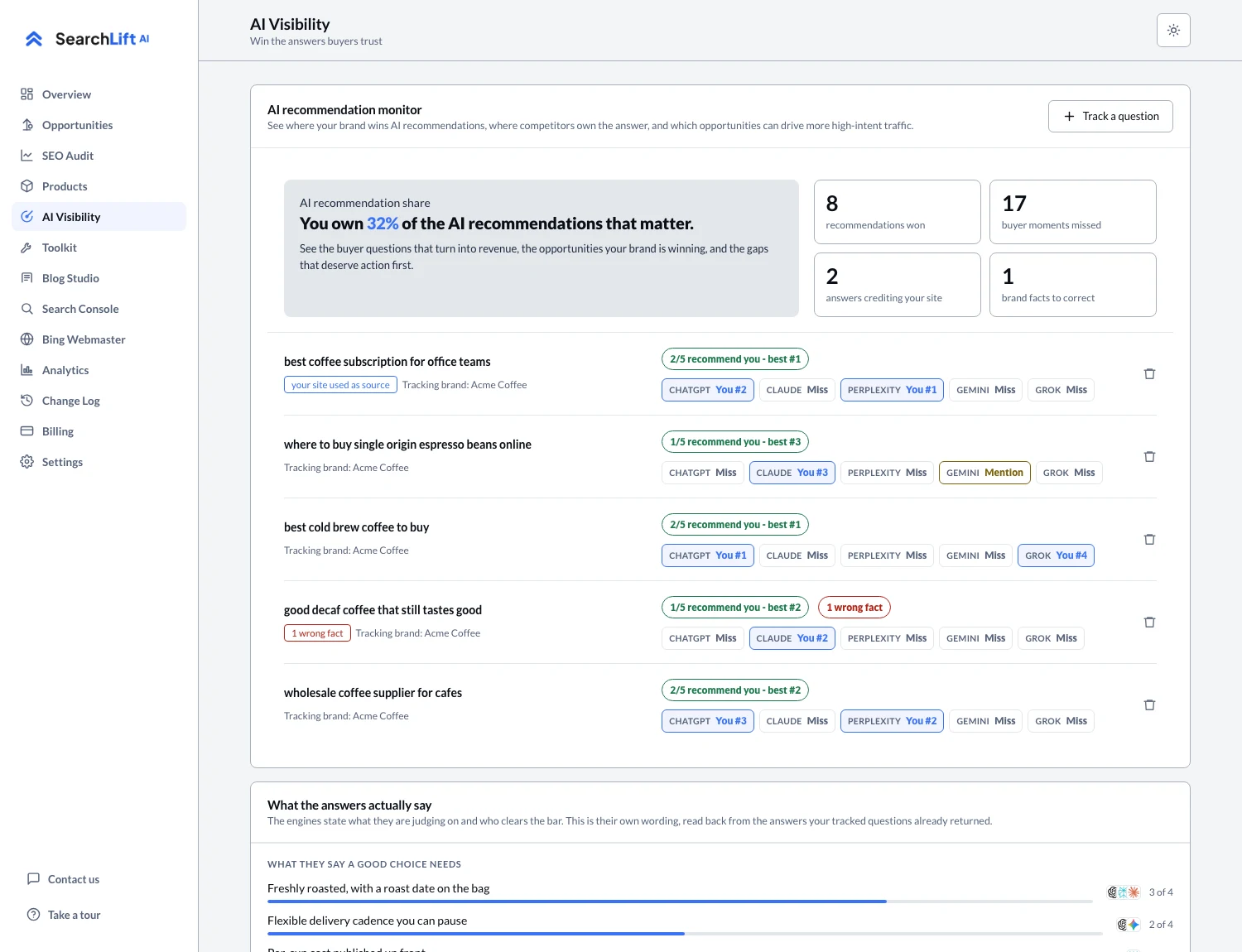
Ask five AI assistants for the best coffee subscription for office teams and you can get five different shortlists. In SearchLift’s Acme Coffee demo, Perplexity puts the brand first, ChatGPT puts it second and the other three assistants miss it. Which of those answers would your monthly subscription actually let you see?
Start with the question from your last sales call
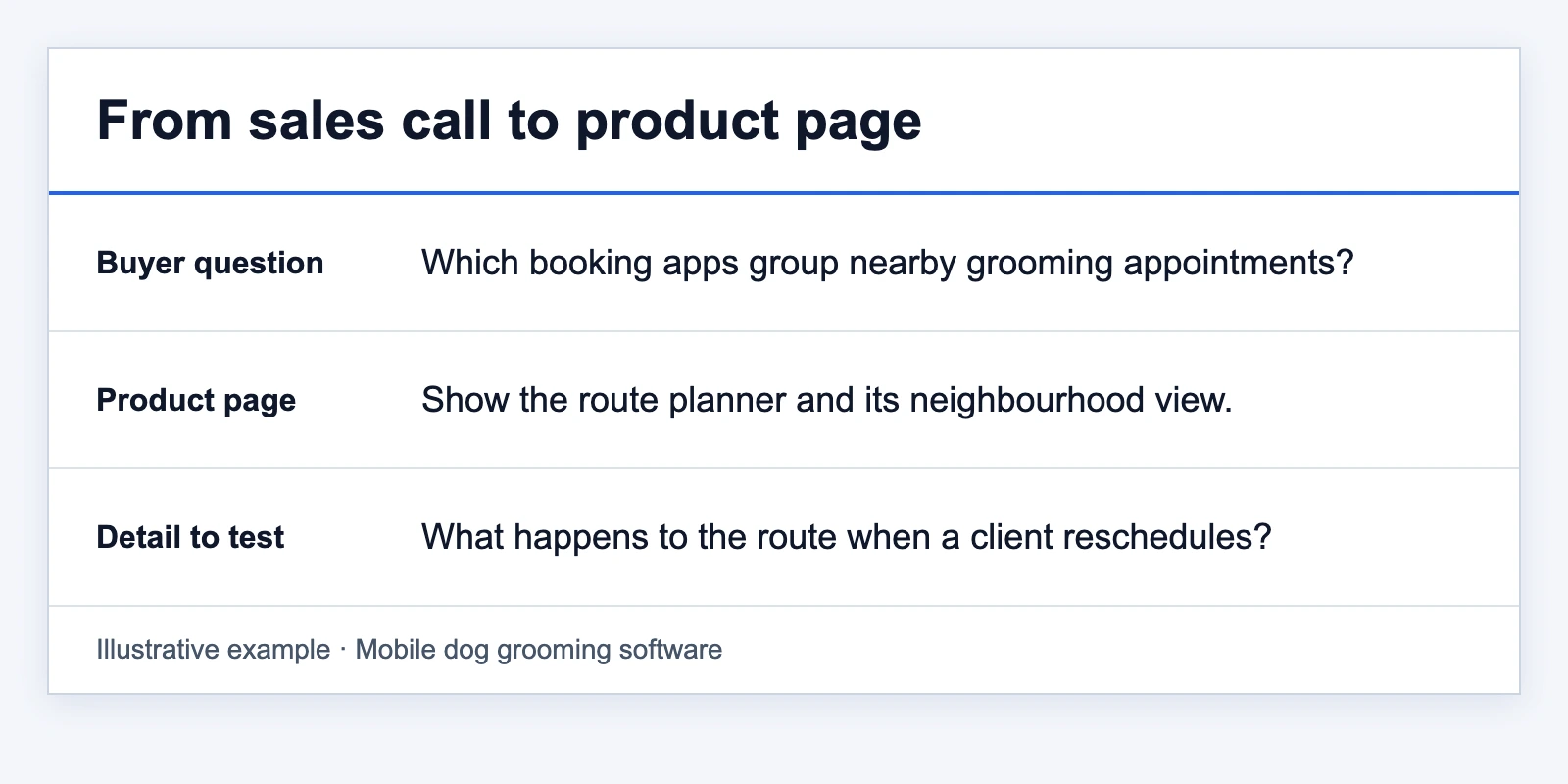
Read the last few questions customers asked before booking a demo. Look for a detail that changed the decision: a required integration, a service area, a type of customer or a constraint on how the product will be used. Keep that detail in the question you track. Save the wording so your next check measures the same thing.
For the groomer example, your first question might be about routing. A second might ask which booking app sends clients an arrival window. These deserve separate slots because each maps to a different capability. Changing “booking software” to “scheduling software” gives you a weaker reason to spend another slot while those buying decisions are still unmeasured.
Compare the monthly bill against your shortlist
SearchLift Free includes one tracked question. Plus includes two at $8.99 per month. Premium includes three at $17.99 per month and covers five assistants. The plans also include site audits and approved fixes. A small team with one product and two recurring sales objections can start by tracking those two questions. Add a third when you know which decision you are missing. See the SearchLift plan details (November 24, 2026).
OtterlyAI lists its Lite plan in euros at €29 per month with 16 prompts and daily tracking across four included engines. That allowance suits a marketer who has several distinct questions ready to track. Keep the currency beside the price when you compare plans, and write down which engines are included in the offer you are considering. See OtterlyAI’s plan details (November 24, 2026).
| Plan | Monthly price | Buyer questions | Assistant coverage |
|---|---|---|---|
| SearchLift Free | $0 | 1 | Gemini |
| SearchLift Plus | $8.99 | 2 | Gemini and Perplexity |
| SearchLift Premium | $17.99 | 3 | ChatGPT, Claude, Gemini, Grok and Perplexity |
| OtterlyAI Lite | €29 | 16 prompts | 4 included engines |
Read an answer like a buyer
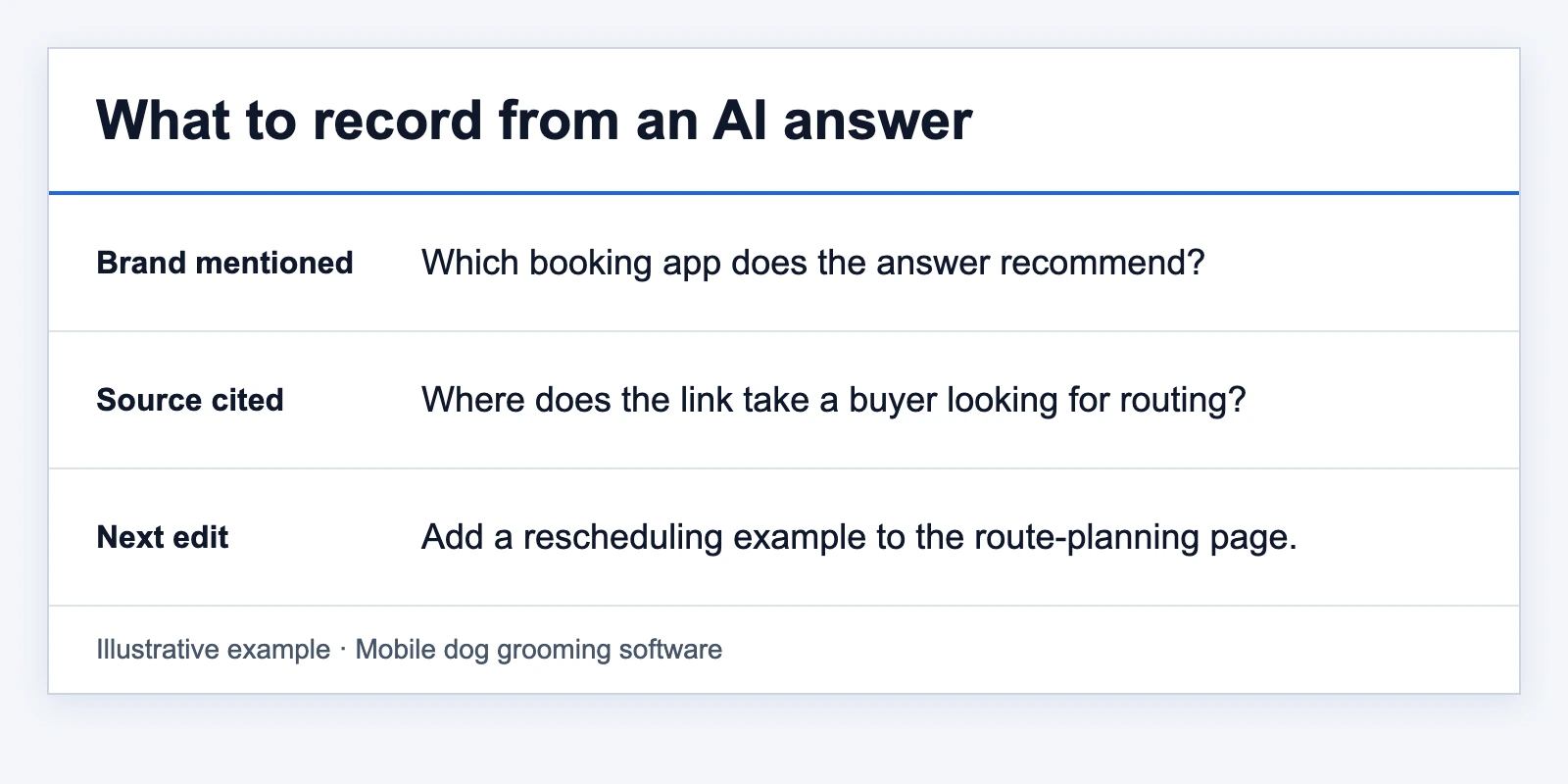
Keep a short record of the question, the assistant, the date, the names in the answer and the cited page. A mention and a citation tell you different things. An assistant can recommend your product while pointing the reader to a third-party review. It can also cite a useful guide you wrote while recommending another supplier. Record both events so you know which page or relationship deserves attention.
Suppose the answer says your app handles appointments, then recommends a competitor for route planning. Open your own routing page on a phone. Can a groomer see how to group nearby visits? Can they tell whether the feature works when a customer reschedules? A screenshot of a rescheduled visit and an accurate explanation of what changes give a buyer something concrete to check.
Decide what would justify an upgrade
Before the next billing date, look at the actual work your team completed. Write down the buyer question, the missing detail you found, the page you changed and the next scheduled observation. If you can name another buyer question that would lead to a different page decision, price the extra coverage. If your team has a backlog of unanswered product questions, put the next hour into publishing the clearest answer.
For a first check, use SearchLift’s free AI visibility checker. For repeat observations, the AI visibility screen shows whether the assistants name your business and who else appears. Keep one question stable while you change the relevant product page. A later mention is worth recording alongside the change, even when you cannot tell what caused the answer to change.
What should you bring to a tool demo?
Open the office subscription row in the example above. The Free plan covers Gemini, which missed Acme Coffee for this question. Plus adds Perplexity, the assistant that ranked it first. Premium adds ChatGPT, Claude and Grok. For an owner deciding whether to pay for more coverage, those rows show exactly which part of the picture each budget buys.
Now look at the buying criteria below the questions. The demo shows three of four answers calling out a roast date on the bag and two mentioning the ability to pause deliveries. A coffee merchant could use those observations immediately: photograph the date stamp on a current bag and show an office manager how to pause an order during a holiday closure. Both details belong on the subscription page where someone chooses a delivery schedule.
Give someone ownership of the next check. A local business might have its owner review one answer before opening on Monday. A software team might ask its product marketer to bring one question to the weekly sales meeting. Pick a cadence your team already keeps. For a walkthrough of how to record assistant answers, see our ChatGPT visibility tracking guide.
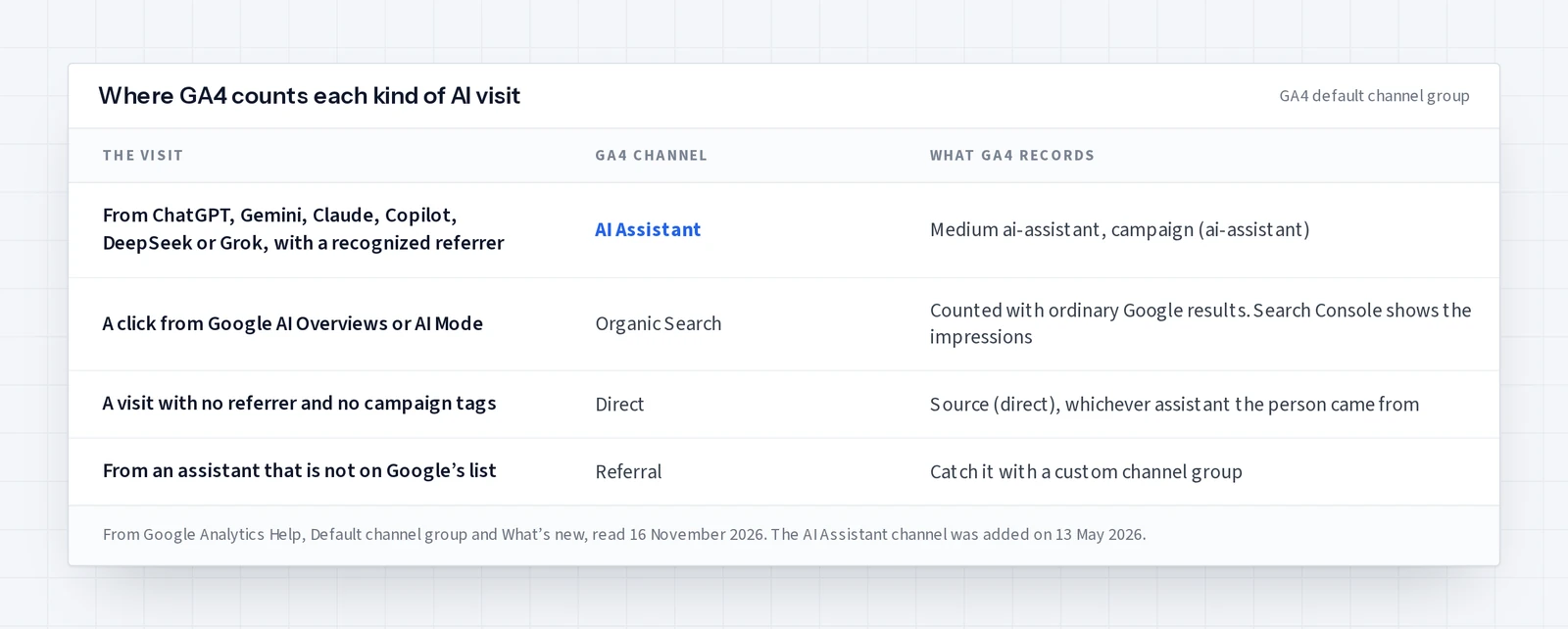
When a buyer clicks through, look at the landing page as well. A pricing page visit, a demo booking and a visit to the help centre each tell a different story. Our GA4 guide to AI referral traffic shows where to find those visits. Keep referral traffic and assistant mentions in separate columns so a quiet week for clicks doesn’t erase what you learned about the answers.
Common questions
- 01What does an AI visibility tool track?
- It checks how assistants answer selected questions about a product or category. Look for the brand named, the source cited and the wording a buyer sees.
- 02Which prompt should a small business track first?
- Choose a recurring question from a buyer who was close to ordering. Include the requirement that mattered to them, such as delivery area, routing or a specific integration.
- 03When is a larger prompt allowance worth paying for?
- Count the distinct buying decisions you need to monitor. A larger allowance becomes useful when different markets, product lines or requirements lead you to different pages and actions.
- 04How can I measure what happens after a buyer clicks?
- Use your analytics landing-page and acquisition reports to review visits from assistants, then check the actions buyers took on those pages.