






SEO automation uses software to repeat work such as checking pages, finding missing metadata, preparing changes and comparing search performance. Start with one page that helps a customer buy. Have the tool identify an issue, show the exact replacement, publish your approved change through a supported connection and keep a record you can review later.
That gives a small team a useful buying test: can this tool finish a page improvement your business actually needs? SearchLift’s SEO audit and fixer connects the finding to a proposed replacement and keeps the old value for undo. The workflow below shows how to choose that first change and judge what happens afterward.
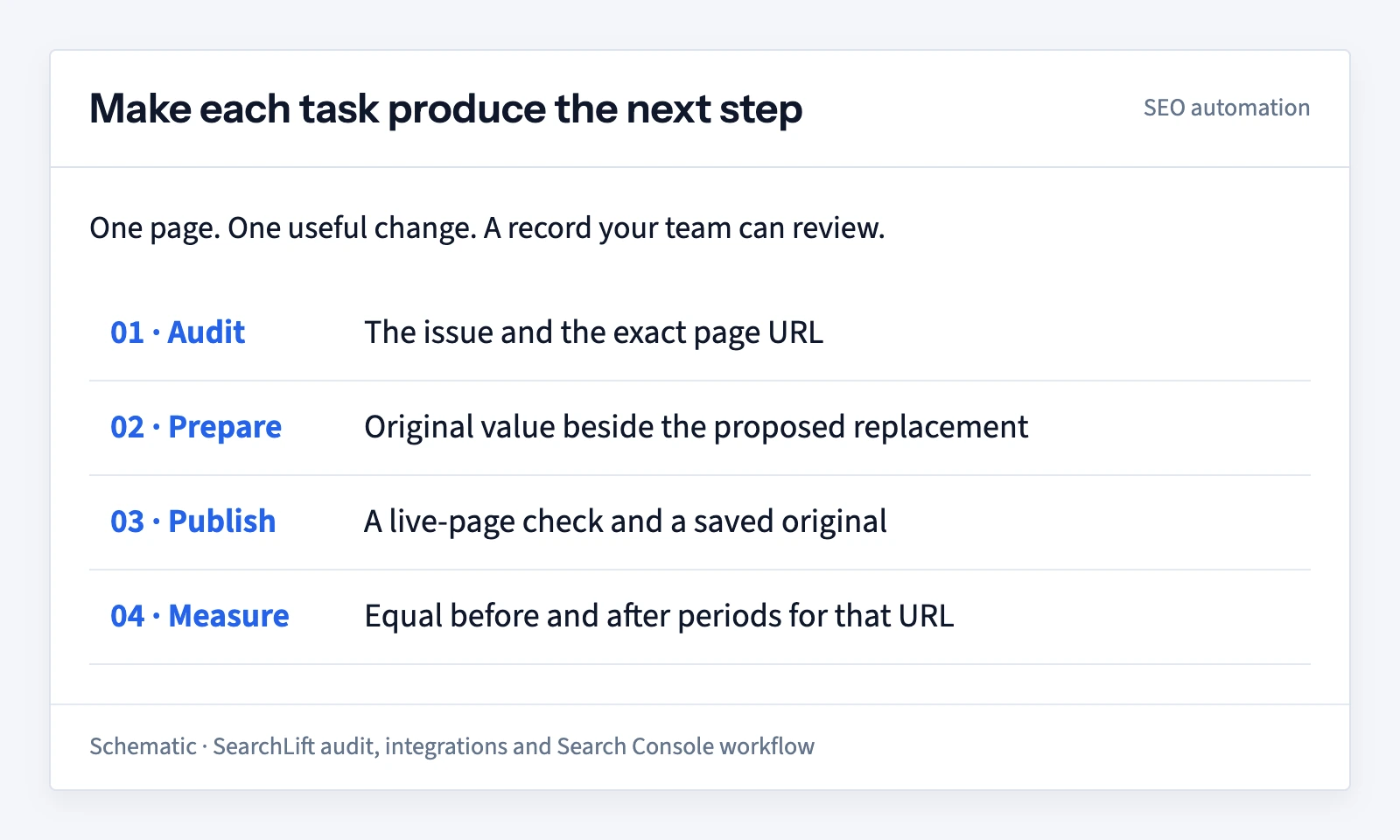
Which SEO tasks should you automate first?
Choose a repeated job with a clear input and a result you can inspect. A missing product description, a duplicate title or a page losing search clicks is easier to act on when the report names the affected URL. Keep a short queue of commercially useful pages so the person reviewing suggestions knows why each one matters.
| Task | Useful automated output | Your decision |
|---|---|---|
| Page audit | The URL, detected issue and proposed fix | Does this page help someone choose or buy? |
| Title or description draft | Current text beside the replacement | Does every product detail agree with the page? |
| CMS write | A published value and a saved original | Does the live page contain the approved version? |
| Search performance review | Clicks, impressions and position for the same page | Should you keep, revise or investigate the change? |
For example, imagine a shop whose espresso-machine page has a title that says only “Products.” A useful draft would identify the machine and a verified buying detail. Read the page before approving it: an automation should not add a capacity, warranty or compatibility claim that the product does not support.
Google’s title-link guidance, accessed November 24, 2026, recommends descriptive, concise and distinct page titles. Google can draw the displayed search title from several parts of a page and other references. Treat a title edit as a clearer description of the page, with search performance to measure afterward.
Build an SEO automation workflow around one page
- 01Pick the page and buyer. Choose a product or service page and write down the question it should answer before a customer orders.
- 02Collect the starting evidence. Save the URL, current field value, relevant search queries and the date range you will compare later.
- 03Review one proposed fix. Check that the replacement is accurate, useful and specific to this page. Correct unsupported details before approval.
- 04Publish through the supported connection. Use the CMS write path available for that field, or give the exact change to the person who manages the site.
- 05Read the live page. Confirm that the approved value is present and record the publication date. Keep the original available.
- 06Return after the comparison period. Compare the same page over equal periods and record the customer actions you can actually measure.
Assign one person to the review step. If an agency manages the site, send the page URL and the exact old and new values together. A finding that says “improve metadata” leaves the important work undecided; a proposed replacement gives the editor something concrete to approve or revise.
Match the fix to your website platform
Check the field you want to change before choosing a tool. SearchLift’s integration capabilities distinguish direct writes from instructions. Its current connectors support different tasks, so a successful title update on one platform does not establish that every kind of change will publish on another.
| Platform | Example supported write | Detail to plan for |
|---|---|---|
| Wix | Titles, descriptions and structured data on supported pages, products and posts | The App Market connection also installs the tracking script |
| Webflow | Page titles and descriptions through the Data API | A write publishes the site; finish other staged work first |
| Shopify | Supported product, page and article SEO fields | Theme-level robots rules and product JSON-LD arrive as instructions |
| Ghost | Meta titles, descriptions and JSON-LD in post or page head injection | Add the tracking snippet once in site-wide code injection |
| Next.js or a custom site | Approved changes delivered through a signed webhook | Your endpoint implements the change in your own stack |
A site connected by URL still gets the audit and suggested changes. That can be a useful choice when a developer owns the publishing process. The important question is who takes the proposed value to the live page and how the team confirms that it arrived.
Check what changed before expanding automation
Open the change record after your first successful write. You should be able to identify the page, the field and the saved value. In SearchLift, each change retains the value it replaced, and undo does not consume the monthly fix allowance. Check the page again after an undo just as you would after the original edit.
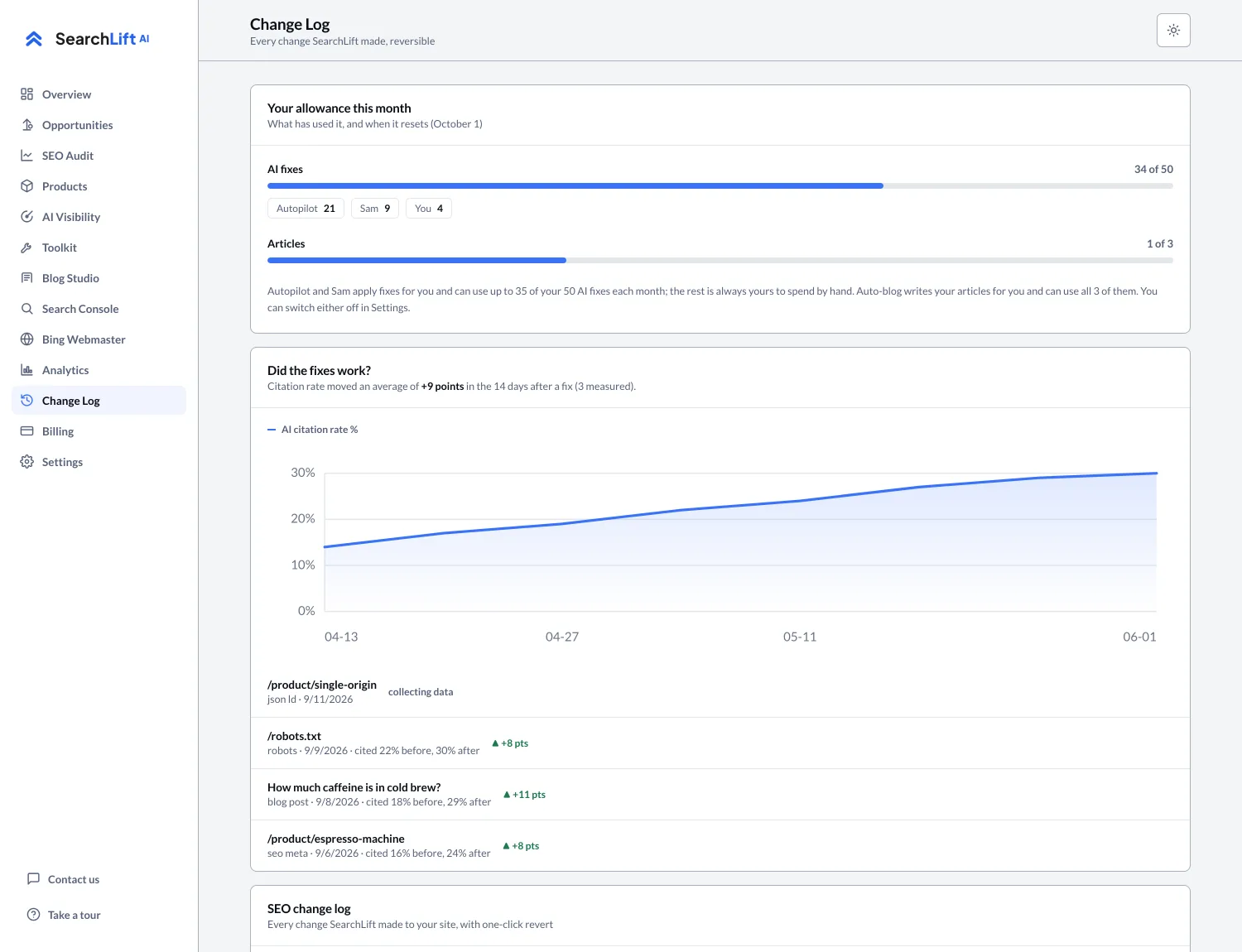
The screen makes an important distinction visible: a change can be published while its measurement is still incomplete. Keep that status in your weekly review. A team can finish useful page work today and return to its search results after enough time has passed.
Once the first workflow is reliable, decide whether scheduled fixes suit the rest of the site. SearchLift’s paid plans include autopilot and auto-heal within limits. Its current plans, checked November 24, 2026, include two AI fixes per month on Free and 25 on Plus at US$8.99 per month. Pick the allowance around the pages your team can review and maintain.
Measure the page after the fix
SearchLift’s Search Console suite compares Google clicks, impressions and average position for a changed page over matching 14-day or 28-day windows. Until the window finishes, its status remains “Measuring.” Site-wide changes are excluded from this page-level comparison because they do not belong to one URL.
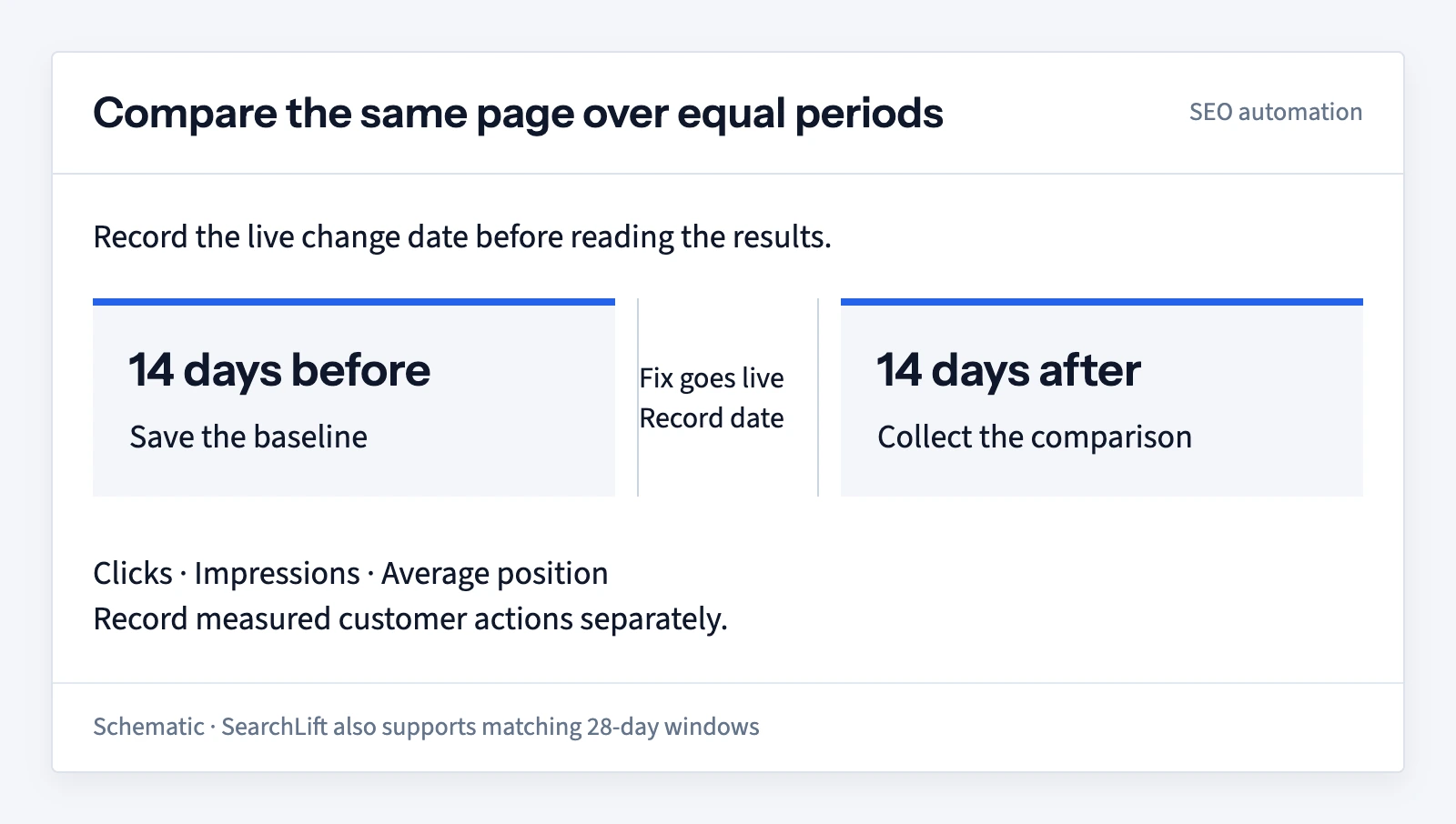
Read those figures together. More impressions can bring a different mix of searches, and a change in average position does not explain whether visitors found the right product. Review the queries and any measured enquiries, signups or sales alongside the page totals. Note promotions and other changes that could have influenced demand during the same period.
Finish the review with a decision and an owner. Keep an accurate improvement, revise wording that confuses buyers, or investigate a technical issue that the live check uncovered. For help choosing a platform, compare AI visibility and SEO automation tools. Then move the next page through the same workflow. That turns the automation into a repeatable way to improve the site and learn from each release.
Common questions
- 01What is SEO automation?
- SEO automation uses software to repeat tasks such as page audits, preparing metadata changes, publishing supported fixes and collecting performance data. A useful workflow connects each finding to a specific page and a result you can review.
- 02Which SEO task should a small business automate first?
- Start with a repeated task on a product or service page that matters to customers. A missing description or unclear title is useful when the tool shows the issue, the proposed replacement and a way to verify the live change.
- 03Can SearchLift apply SEO fixes automatically?
- Supported CMS connections can apply approved fixes. Paid plans include autopilot and auto-heal within limits; a URL-only connection provides exact instructions for the person who publishes the site.
- 04How do I know whether an automated SEO fix worked?
- First confirm the approved value on the live page. Then compare the same page over equal periods using search clicks, impressions and position, alongside measured customer actions. Record other changes that could explain the difference.
- 05Does changing a page title guarantee a different Google title?
- No. Google automatically chooses title links using several sources. It must recrawl and reprocess the page to consider an update, and the displayed title can differ from the title element.